Sandboxes and Worktrees: My secure Agentic AI Setup
I’ve been using AI tools since early 2021 when I was invited to test out the Copilot internal alpha at GitHub (where I spent 10 years). I’ve maintained Homebrew since 2009. I’ve now personally hit the “AI writes 90% of my code” (Dario Amodei’s early 2025 prediction for late 2025). I’ve been asked by a few folks to detail my current setup so: here it is.
TL;DR:
- Agents bring a step change from code completion to code generation and are good enough now to one-shot many problems
- Sandboxing improves security and productivity by letting agents run wild without babysitting permission prompts
- Git worktrees parallelise work so more tokens/spend directly translates to more velocity
🤖 Agents
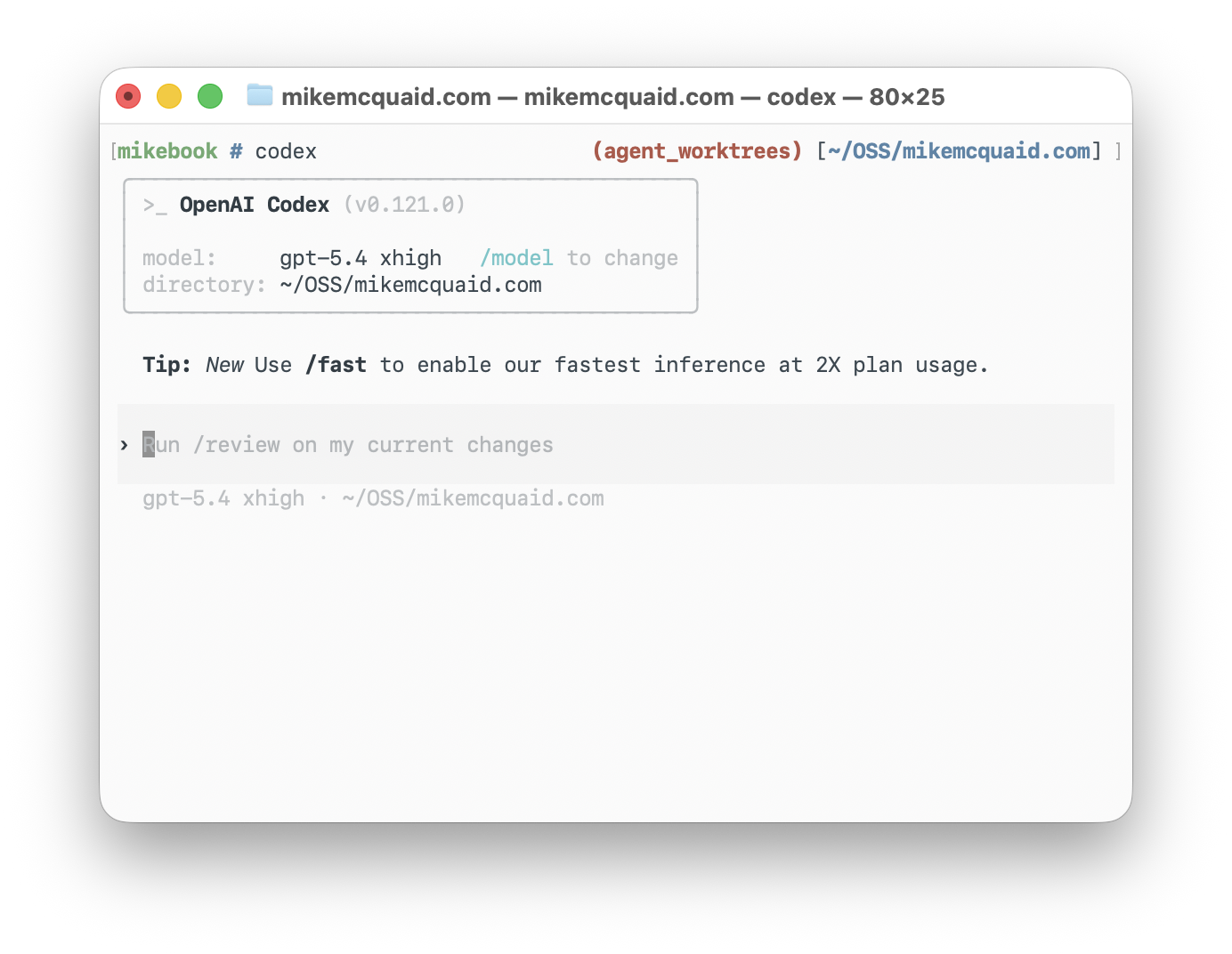
If you’re still using AI in “code completion mode” or only GitHub Copilot, you’re missing out. Mid-to-late 2025 was when agentic tools like Claude Code and OpenAI Codex got good enough that prompting became quicker than editing, even when you’re anal about it.
My experience of Claude Code and OpenAI Codex has mostly been:
- OpenAI Codex (5.4
xhigh): takes a while, generally does things mostly right first time, doesn’t need much prompting/steering - Claude Code (Opus 4.6
max): fairly stupid by default, can be nudged with aggressive hooks/tools/prompts to being less so- (Opus 4.7 just got released: let’s see if it’s less stupid…)
My daily driver of choice is OpenAI Codex but I run out of tokens more quickly so have learned to be fine with either. (OpenAI: please give me the free tokens I’ve applied for as an OSS maintainer, thanks <3).
A lot of people spend a lot of time and energy thinking about their CLAUDE.md/AGENTS.md.
My experience is their performance varies so much from model to model, version to version that it’s worth keeping them as minimal as possible.
I have an AGENTS-GLOBAL.md in my dotfiles that provides a decent minimum of what I care about across all projects in Claude and Codex.
The main problem you’ll bump into pretty quickly with agents is: you have to spend half your life going “Yes, do this safe thing”, “No, don’t do this dangerous thing”. This is boring and slow. I’m lazy so needed better automation.
🏝️ Sandvault
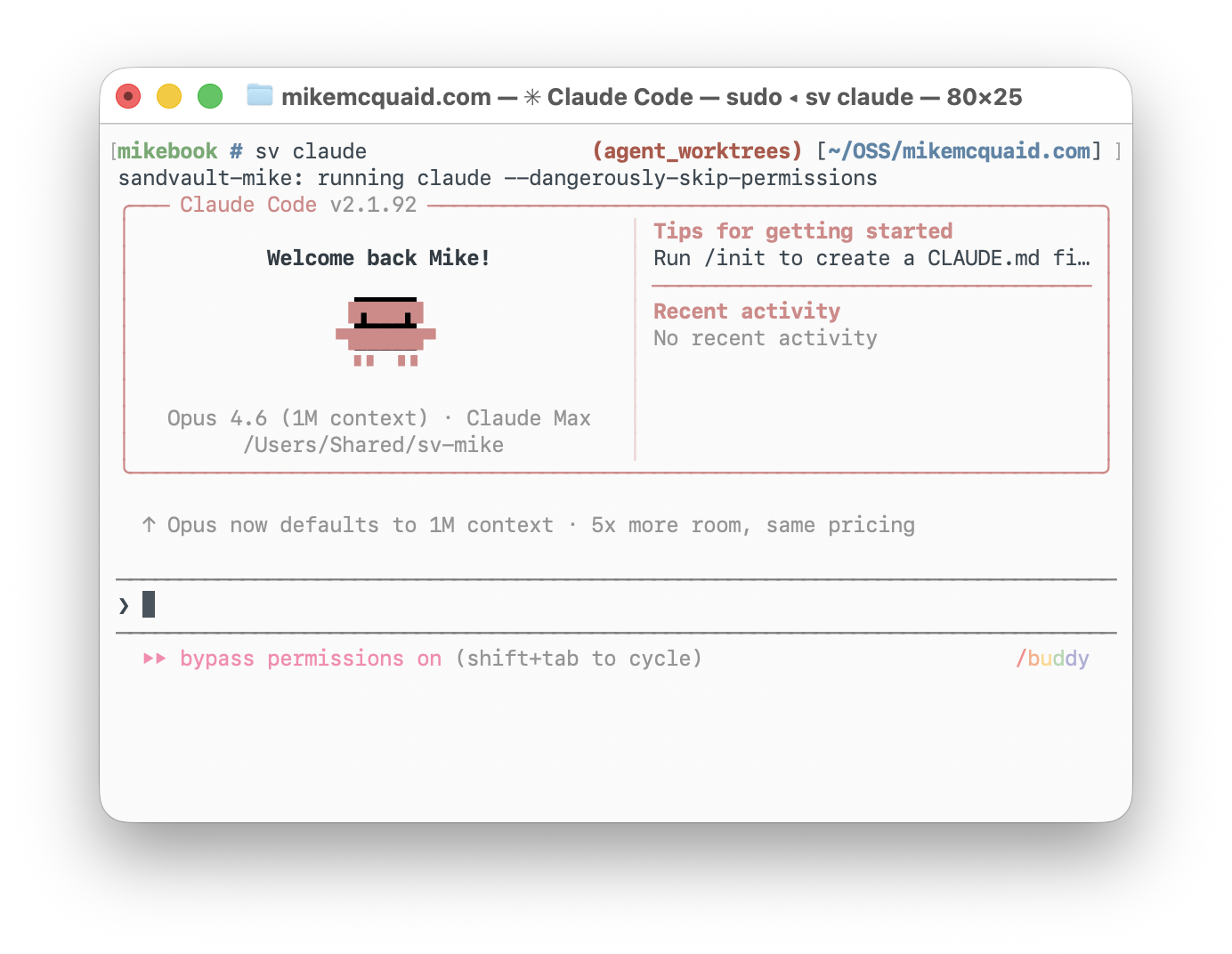
The various agents have various “bypass permission checks”, “run without sandbox”, “YOLO”, etc. modes.
If you want to be actually productive with these tools you basically have two options:
- decide you’re just going to play with fire and disable permissions and hope nothing goes wrong
- run in a sandboxed environment e.g. a VM, separate machine, sandbox with reduced (system) permissions, access, tokens, etc.
I picked option 2 because I take my responsibility as a Homebrew maintainer seriously to not do stupid insecure shit on my machine. Unfortunately, also because I’m a Homebrew maintainer, I’m allergic to using Docker for local macOS development.
sandvault is the nicest middle ground I’ve come across.
It makes use of macOS sandboxes and creates and maintains a separate non-admin user account where you can let it run wild.
Short of exfiltrating your code (which I’m not worried about with OSS), it closes the majority of risk vectors I care about where agents might:
- go e.g.
rm -rfon files not in version control - use my e.g.
GITHUB_TOKENto do things on sensitive repositories - exfiltrate sensitive files elsewhere
Once installed (brew install sandvault), you can run sv codex or sv claude to start your agent of choice or sv shell to start a shell.
You can also put your dotfiles under /Users/Shared/sv-${USER}/user and they will be copied to the relevant sandvault e.g. (sandvault-mike) user.
Take a look at my dotfiles’ script/sync if you want an example of how to do this.
I also recommend using a different-coloured prompt for your Sandvault user so you know when you’re inside it.
See my dotfiles shprofile.sh and zprofile.sh for examples.
🤝 Sharing
This all works nicely but: what if you want to share code more easily between your current $USER (e.g. mike) and the unprivileged sandvault (e.g. sandvault-mike) user?
I would normally clone all my OSS repositories into ~/OSS/* and employer’s (currently Administrate) into e.g. ~/Administrate.
Instead, I now clone under the Sandvault-created /Users/Shared/sv-mike into /Users/Shared/sv-mike/repositories and create /Users/Shared/sv-mike/worktrees (more on that later).
I don’t keep another checkout in my home directory: my ~/OSS/* entries are symlinks to these shared repositories.
The repositories and worktrees aren’t copied into the sandbox; my normal user and the Sandvault user work on the same files under /Users/Shared.
This gives me somewhere safe that’s readable and writable to both users.
Note, you’ll need to add to your ~/.gitconfig for both to not freak out git with the group writable permissions:
[safe]
	# It's expected that sandvault directories are owned by another user.
	directory = /Users/Shared/sv-mike/repositories/*
🌳 Worktrees
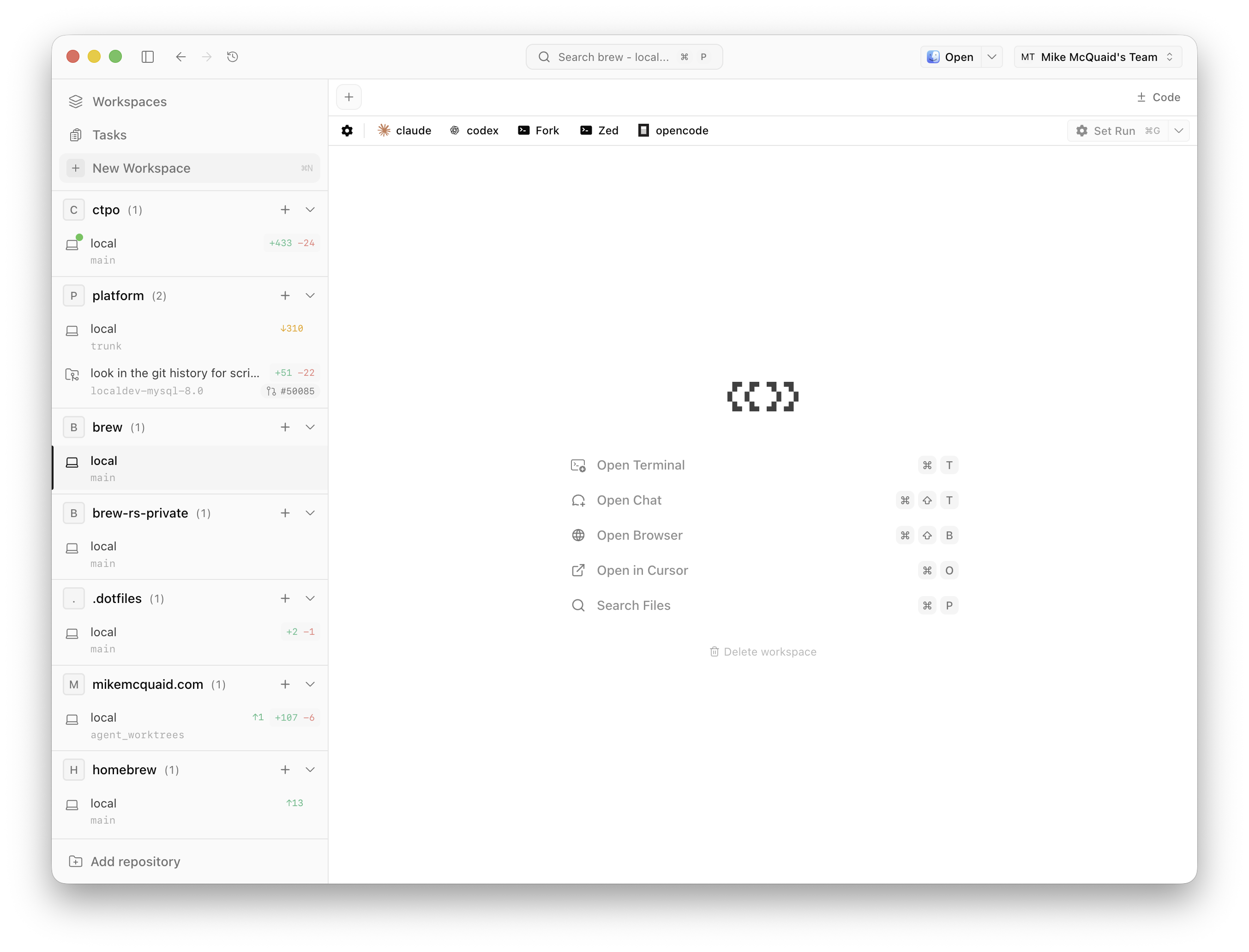
Once I had Sandvault working nicely with Claude and Codex I could be a lot more productive with just letting them work independently.
However, running one agent at a time becomes the bottleneck when you’re paying for more tokens than you’re currently using.
Multitasking between multiple repositories was an easy next step but I found myself wanting to do this more on the same repository.
I ended up with a homebrew and homebrew2 repository which felt gross but kinda worked.
The problem was remembering what I did on which one.
Git worktrees let you have multiple branches of the same repository checked out simultaneously in separate directories.
I knew they were probably the right solution here (I wrote a book about Git so have no excuse) but it’d been ages since I’d played with them.
I also didn’t want to have to build all this manually.
I’d already built a bunch of git helper aliases around Sandvault.
A talented CTO friend pointed me at Conductor as a way of running a bunch of agents with worktrees. It had potential but I love Sandvault too much and couldn’t figure out any way to make them play nicely.
Instead, I stumbled upon Superset which did similar but, importantly, allowed me to override commands.
I configured my “Worktree location” to /Users/Shared/sv-mike/worktrees.
I set my “Agents” to use their Sandvault commands (same for “No Prompt” and “With Prompt” options):
- Claude:
sv claude -- - Codex:
sv codex -- - Gemini:
sv gemini -- - OpenCode:
sv opencode --
These are all those that Sandvault supports today (I easily added OpenCode a few days ago with a few lines of code).
I then added a bunch of “Projects” based on those I’d cloned into /Users/Shared/sv-mike/repositories.
For those where it’s useful, I have them run a basic e.g. script/bootstrap so the project is better set up.
🙋 Prompting
Once this is all set up, you can easily spin up terminals for each project and run whatever tool or agent you choose there. Creating worktrees is where this actually gets fun and powerful though:
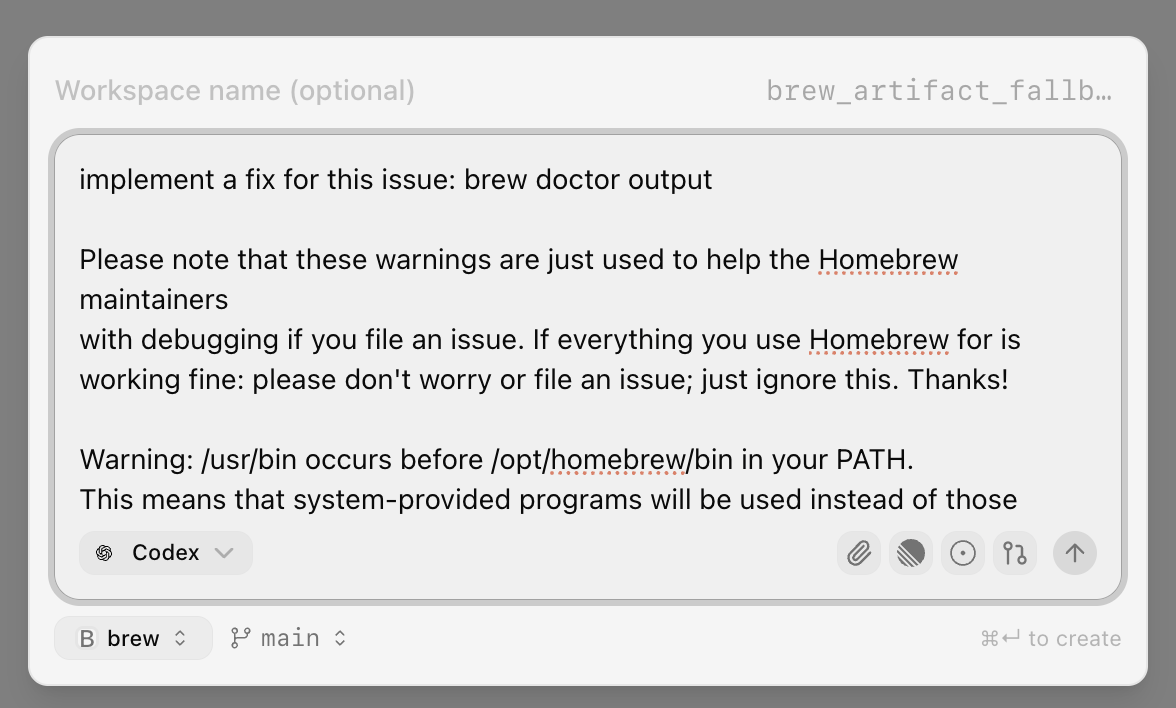
This lets you spin up an agent in a sandboxed new worktree based on a single prompt.
Superset creates the worktree under /Users/Shared/sv-mike/worktrees and launches the agent as the Sandvault user inside it.
I can open that same worktree as my normal user: there isn’t a separate “host” checkout to keep in sync.
Once you have this working: the sky is the limit. My personal workflow has gone from:
- “reading Homebrew or work code problem, add to my TODO list”
to:
- “copy paste problem description plus braindump of how I think it should be solved into a prompt, let the agent work on it”
Sometimes I’ll just fire up multiple agents with different approaches to run at the same time and throw away those I like the least.
🔍 Review
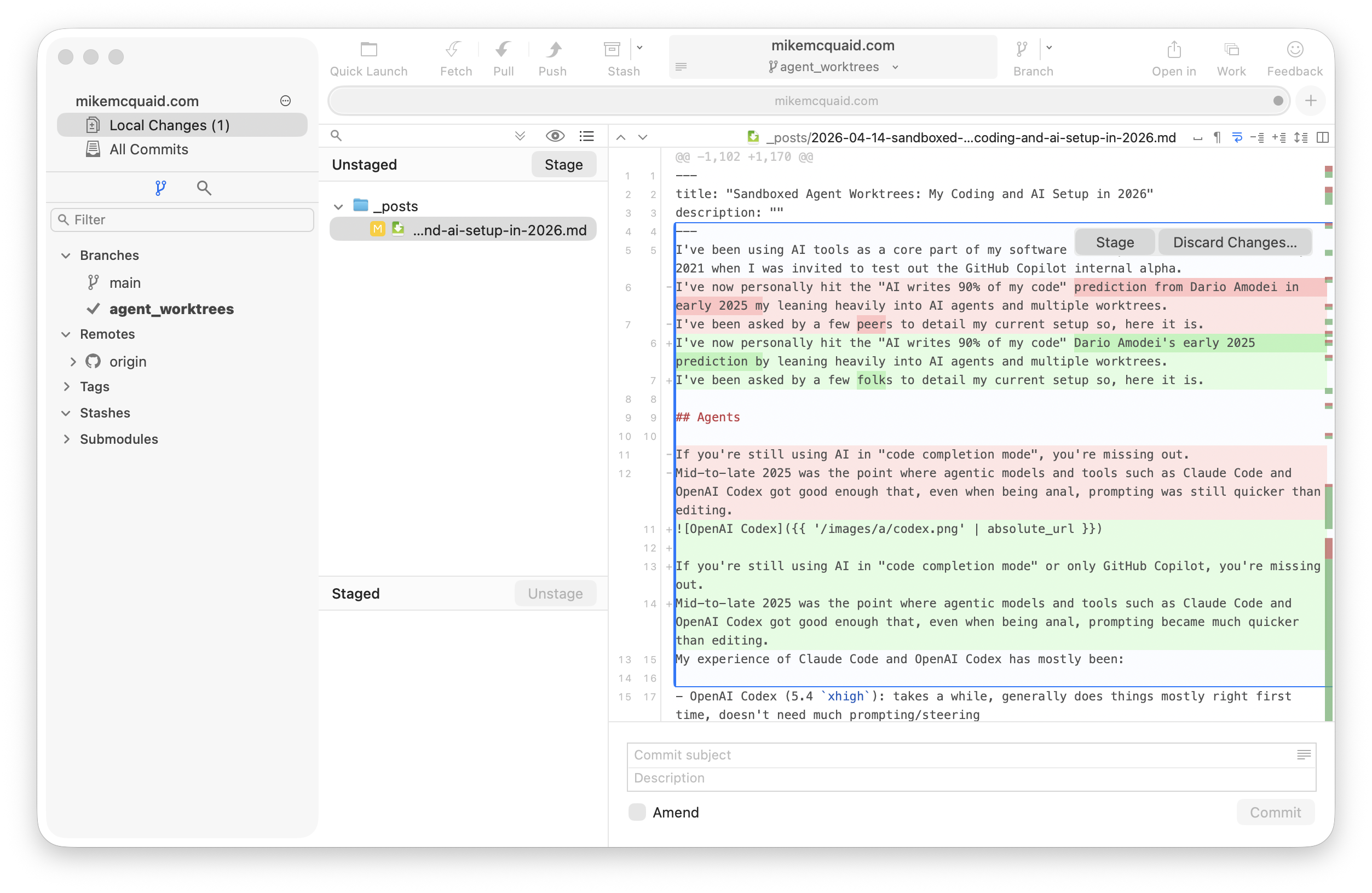
I always review any agent-produced work as my normal user in the same shared worktree before I share it with others. I push from there myself; the agents don’t push for me. Review can involve one or more of:
- reading all generated output (e.g. using Fork, a nice macOS Git GUI)
- manually editing generated output (e.g. using Zed, my current editor of choice)
- I picked Zed because I spend less time in my editor now, don’t need Cursor’s better autocomplete and care more about startup speed
- prompting to force edits of generated output (e.g. providing local code review comments as new prompts)
- manually performing verification tests (e.g. running things locally, reviewing the output, giving the AI error messages)
- getting another AI to review the work of the AI (e.g. Copilot Code review in PRs)
- providing CI failures (e.g. GitHub Actions output)
How many of these I do depends on my familiarity with the code, its criticality and how confident I am in other guardrails e.g. CI, human review.
I make this easier with Zed (zed .; exit) and Fork (fork .; exit) “Presets” in Superset to launch them in the worktree with one click.
When reviewing AI-generated work from others, I review the output and sometimes manually test. I’m lazier there, though. If AI is writing your code for you now, you need to step up and do more in the way of testing for your reviewers/coworkers.
We’ve set higher barriers here in Homebrew now including:
- requiring AI disclosure on PRs
- requiring non-maintainers do not have more than 1 AI generated PR open at once
- closing without comment when AIs create the PR and discard our PR template
- requiring PRs that are too large be split into multiple, smaller ones
- blocking people who refuse to stop creating low-quality AI PRs
This is still sometimes tiring and demotivating though compared to reviewing the work purely of humans. As a result, we will sometimes just close out PRs where it feels like we’re speaking to their agent and not the human.
🧑💼 CT(P)O Assistant
If you’ve read all this and gone “aren’t you a CTPO? shouldn’t you be mostly doing non-coding things?”:
- I am, it’s just not very interesting to read about if you’re an engineer
- Ok, if you insist: I have another cool thing to show you
I read this tweet from Obie Fernandez about a CTO executive assistant and was intrigued. I’m on my second CTPO job and feel fairly organised but that my usual systems plus my memory fail the huge amount of context I now need to do my job well. I’ve never had a human executive assistant and strongly suspect I’d be too much of a control freak to handle one.
In Superset, I have a project called ctpo.
In this I put in various meeting notes, my goals, company goals, personal TODOs, etc.
I can then ask it questions to help me prepare for meetings, what my short/medium/long-term priorities are and do research. The initial “training” was done on internal engineering culture documents I’ve written and the written corpus on this website. This corpus was helped by, again thanks to modern AI tooling, storing transcripts from various talks and podcasts I’ve done along with my posts.
This has given me a personal assistant that already knows most of my high-level values and gives me a vastly better memory (which is mostly accurate).
🎬 Conclusion
GitHub reached out recently and apparently Homebrew is one of a smaller number of projects that’s seen an uptick rather than downtick in merges post-AI agents. I don’t think that’s a coincidence: this setup is a big part of why.
Between Claude/Codex, Sandvault, Superset and my CTPO assistant I feel the most productive and organised I’ve ever been. The combination of sandboxing and worktrees means I can just throw more tokens at more problems and get more done. At work, I feel like I’ve got an extended version of my own memories and TODO lists that doesn’t require as much manual curation.
If you’re doing interesting things here too: get in touch! I’m interested to learn from anyone else what I could be doing better or am doing wrong. Hopefully this was useful and I am excited for it to be hilariously outdated this time next year. Good luck out there everyone, it’s a wild ride just now 💜.
Thanks to Gus Fune and John Peebles for reviewing drafts of this post.
Written by me, not an AI. I solicit AI suggestions and apply only when I agree (often I don't).